 FoodyStash
iPhone · iPad · Android
Every cooking video,now a recipe.
Ingredients and steps pulled straight from the video, planned into your week, with a shopping list that adds itself up — from “I want to make that” to actually cooking.
Free to download, with unlimited recipe saving and search.

75-second tour
From one cooking video
to this week’s menu and shopping list.
Three moves
All those cooking videos you saved —
this time you’ll actually cook them.
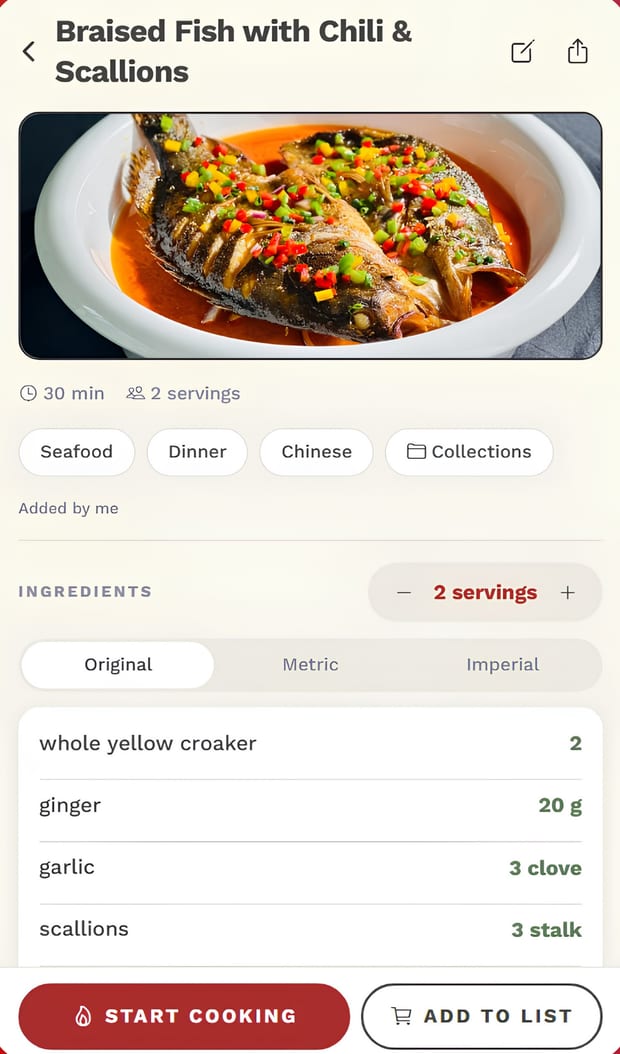
Amounts the cook only says out loud, ingredients that only show up on screen — it gathers them all. Just take a look, and decide whether tonight’s the night.
 Analyzing
Braised Fish
- Yellow croaker1 whole
- Soy sauce2 tbsp
- Garlic3 cloves
- Ginger3 slices
- Scallions2 stalks
- Sugar1 tsp
Drop in a video
Paste a link, or pick a video you saved to your gallery.
Take a look
Ingredients, amounts and steps are already sorted. Tweak anything you like.
Save it to your library
From then on it’s a recipe you can cook from — and plan your week around.
Video in, recipe out3 free a month
No more pausing, rewinding and scribbling notes. It watches and listens, then writes down the ingredients, amounts and method.
- YouTube: just paste the link
- Instagram and TikTok: save the video to your gallery first, then pick it in the app
- Recipe websites — and even a screenshot of a recipe — work too
This week’s menu, in one tapPRO
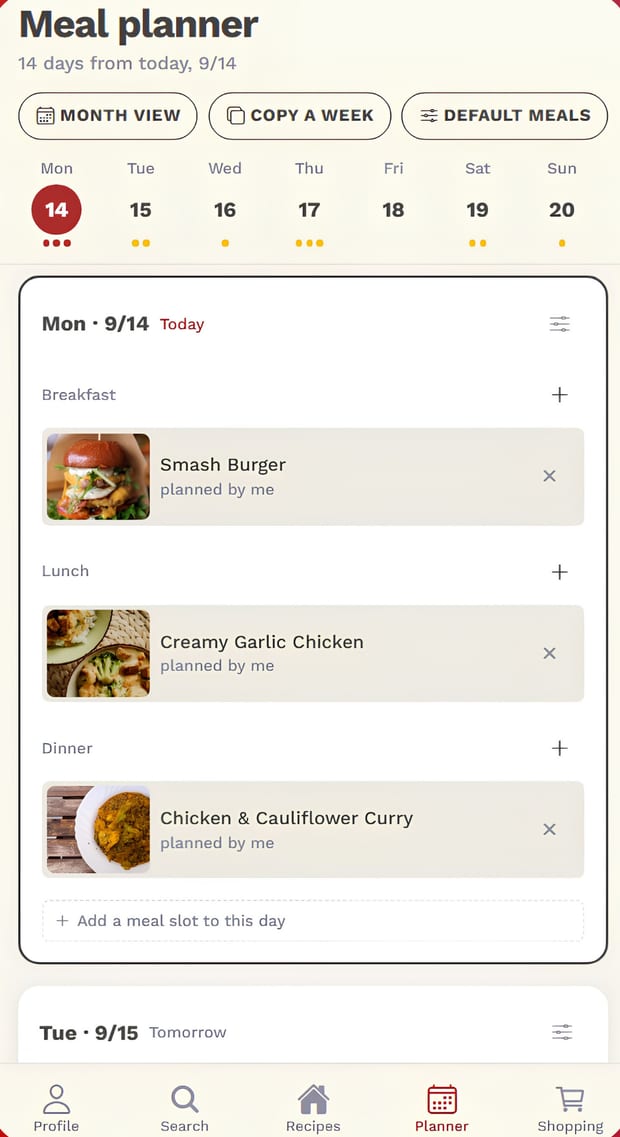
Can’t decide? Tap “Auto plan” and it fills your week from your own recipes. Say “30 minutes on weekdays” or “more vegetables” and it plans around that — review it, then apply.
Prefer to plan yourself? Pick a day, pick a meal, drop in a recipe. Press and hold to move a meal to another day.
Cooking for four instead of two? Every ingredient scales with it — no calculator needed.
- Chicken thigh300 g
- Cream120 ml
- Garlic3 cloves
- Broccoli160 g
A list that knows how much to buyPRO
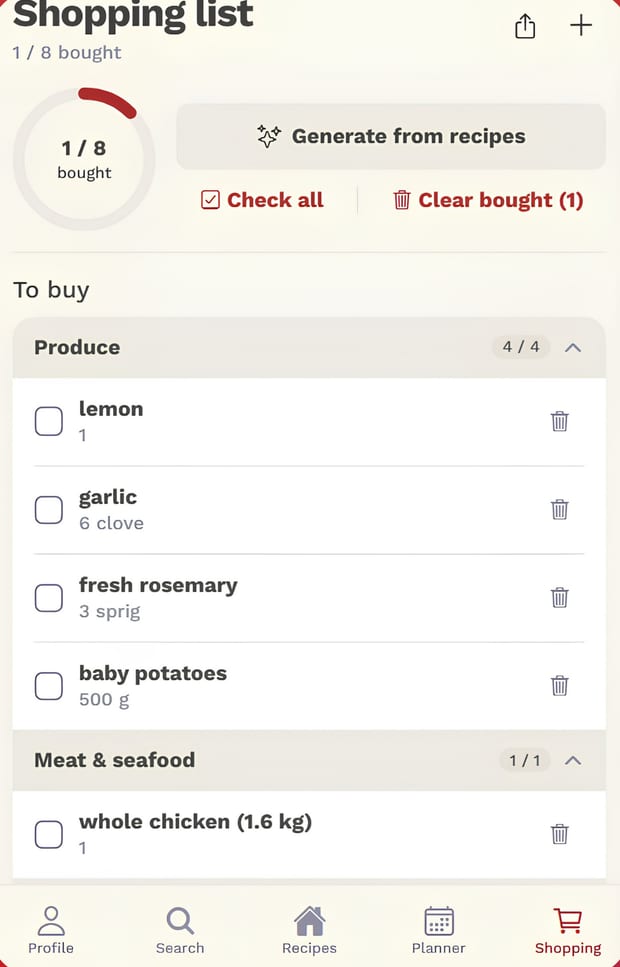
Once your week is planned, build the shopping list from those recipes in one go. Three dishes need garlic? It adds up the total, so you’re not doing math in the aisle.
Check things off as you shop and see what’s left at a glance.
Nutrition, worked out per servingPRO
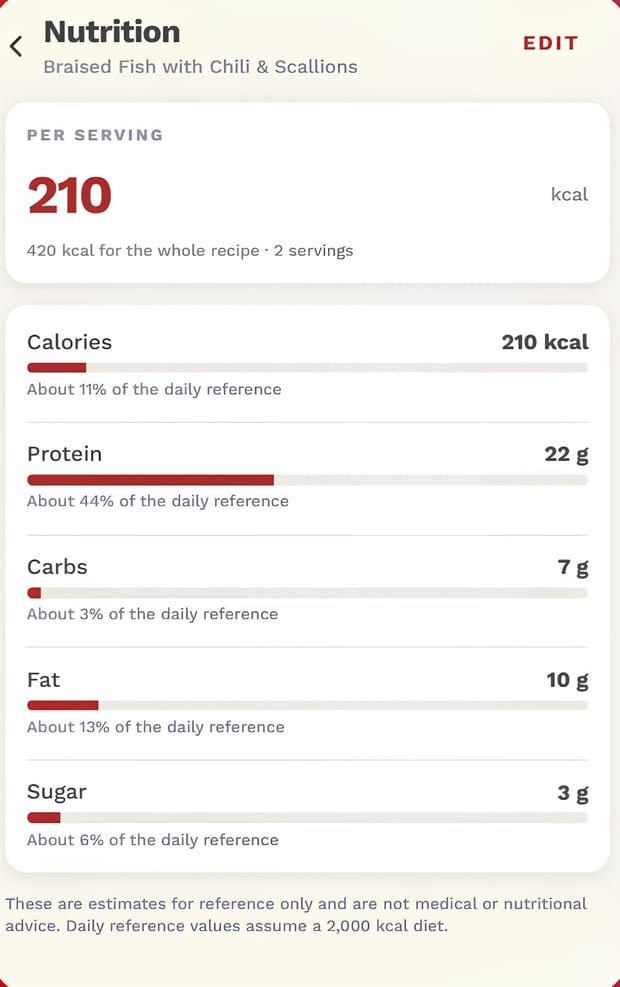
Calories and nutrients are calculated for you, and you can adjust them. Add up the week you planned and see each day’s calories and protein at a glance.
Mark the ingredients you avoid, and they’re flagged whenever a recipe contains them — handy when someone at home has allergies or is a picky eater.
One kitchen for the whole familyPRO
Invite your family in to share recipes, meal plans and shopping lists. When someone adds a dish or checks something off, everyone’s screen updates right away — no more texting “did you get it?”
Cook what’s in the fridge
Type a few things you have, and it finds the recipes you can make tonight with the fewest extras. “Greens” or “seafood” work too — spinach, cabbage and shrimp all count.
The same dish, your wayPRO
Vegetarian, gluten-free, or milk instead of cream — rewritten in one tap, with every swapped ingredient marked. It’s saved as a new recipe; your original stays as it is.
Your own cookbook, in printPRO
Turn a collection into a one-recipe-per-page PDF to save, print or give to family.
Your hands stay on the cooking
Full screen, one step at a time, and the screen stays on. Set a timer on any step. Weak signal in the kitchen or the supermarket basement? Your recipes still open.
Your own recipes, one line at a time
Type “300g chicken breast” on one line and the amount, unit and category sort themselves out. Got the ingredients or steps in your notes? Paste them all in at once.
Free & PRO
Start free. Upgrade when you’re hooked.
The free plan never caps how many recipes you keep, and you can turn 3 videos or photos into recipes each month. Auto meal planning, meal plans, shopping lists, recipe makeovers, nutrition estimates and family sharing require a FoodyStash PRO subscription.
Free
Just download it
- Unlimited saved recipes
- Search and collections
- Add your own recipes by hand
- Import from recipe websites with a link
- Turn 3 videos or photos into recipes a month
- What’s in the fridge: find recipes from what you have
- Cooking mode: step by step, timers, screen stays on
- Five interface languages
FoodyStash PRO
Monthly or yearly — 7 days free on the yearly plan
- Turn videos, YouTube and screenshots into recipes, beyond 3 a month
- Auto-plan your week, or plan it yourself with serving scaling
- Recipe makeovers: vegetarian, gluten-free, ingredient swaps
- Shopping lists built from your plan, totals added up
- Nutrition per serving, plus a weekly overview
- Turn a collection into a PDF cookbook
- Share one kitchen with your family
Five languages
It speaks whatever your kitchen speaks
Questions
Which videos can become recipes?
For YouTube, paste the link. For Instagram and TikTok, save the video to your gallery first, then pick it in the app. Recipe website links and screenshots of recipes work too.
What do I get without paying?
Saving, searching, adding recipes by hand, importing from recipe websites, “What’s in the fridge” and cooking mode are all free, with no cap on how many recipes you keep. You can also turn 3 videos or photos into recipes each month. Auto meal planning, meal plans, shopping lists, recipe makeovers, nutrition estimates, PDF cookbooks and family sharing are PRO.
Does everyone in the family need to pay?
One subscription per kitchen. Whoever subscribes invites the family in, and recipes, meal plans and shopping lists are shared by everyone.
How do I cancel?
Anytime — you keep PRO until the end of the period you’ve paid for.
iPhone / iPad: Settings → Apple ID → Subscriptions.
Android: Google Play → your profile picture → Payments & subscriptions → Subscriptions.
You save a recipe because one day you want to cook it.
FoodyStash brings that day a little closer.
Questions or ideas? Email foodystash@gmail.com — we read every one.